Tuesday, 14 May 2019

Download iOS 12.3 (final) for iPhone, iPad, and iPod 2019


WHAT’S NEW IN IOS 12.3?

iOS 12.3 (final) comes with a build number of 16F156 and weighs about 2.89GB on all compatible devices.

The main feature of this operating system update is the new all Apple TV app and the addition of AirPlay-centric features.
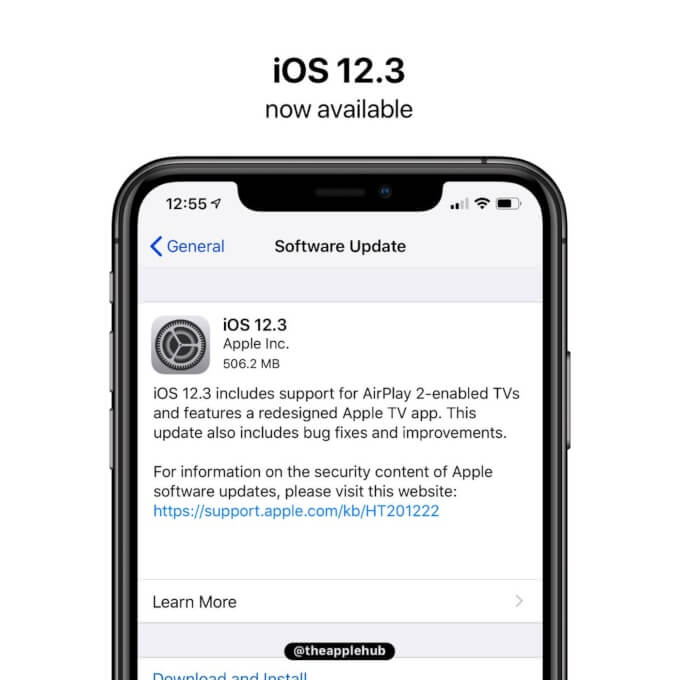


Check out the complete list of all improvements, fixes, and new features this update brings below.
APPLE TV APP


User interface completely redesigned with the addition of collections compiled by editors and personal recommendations.


Subscriptions can now be shared with up to six family members without any new applications, accounts, or passwords.


Buy or rent new releases, including a complete catalog of over 100,000 movies and the largest 4K HDR title selection.


Added support for AirPlay 2 on LG, Samsung, Sony, and Vizio TVs.
AIRPLAY 2


AirPlay 2 now supports sharing videos, photos, music, and more from iPhone and iPad directly to an AirPlay 2-enabled smart TV.


One-Click Playback automatically plays the selected TV show or movie on the most recently used device depending on time and location.


Siri’s suggestions for watching movies and TV shows now include AirPlay.
OTHER FIXES AND IMPROVEMENTS


Face ID is snappier.


The “For You” section in Apple Music is updated several times a day.


Fixes a bug in WiFi calls that caused calls to get interrupted.


Fixes a bug that could prevent Apple TV Remote from pausing/controlling video or adjusting volume on supported receivers.


Fixes a bug that did not show track information from a connected iPhone on the car display.

Since this is a final public update, you can get it straight from the “Software Update” section in Settings > General. Alternatively, you can use iTunes to upgrade your device or perform a clean restore using the IPSW links below.

Before you update, be sure to back up your data and charge your device.
IOS 12.3 IPSW DOWNLOAD
IPHONE


iPhone SE, iPhone 5s


iPhone 6s, iPhone 6


iPhone 6s Plus, iPhone 6 Plus


iPhone 8, iPhone 7


iPhone 8 Plus, iPhone 7 Plus


iPhone X


iPhone XS


iPhone XS Max


iPhone XR
IPAD


iPad Air, iPad mini 2


iPad mini 4, iPad Air 2, iPad mini 3


iPad (5th generation), iPad (6th generation)


iPad Pro (9.7‑inch)


iPad Pro (12.9‑inch)


iPad Pro (10.5-inch), iPad Pro (12.9-inch) (2nd generation)


iPad Pro (11-inch), iPad Pro (12.9-inch) (3rd generation)


iPad mini (5th generation), iPad Air (3rd generation)
IPOD


iPod touch (6th generation)
SHOULD YOU UPGRADE?

iOS 12.3 comes with a whole host of bug fixes, enhancements, and AirPlay/Apple TV-centric features. If your device is still running a beta version, we highly recommend updating to the latest update.

iOS 12.3 is most probably the last major iOS 12 update as the WWDC is just a few weeks away now.

Apple will still continue seeding developer beta builds until iOS 13 is released officially in September, nevertheless.

Sponsor ads:

Gihosoft RePicvid Free Photo Recovery Software provides a free photo recovery software for windows to help users recover the deleted or lost photo for free.

If you lost data after you updated to a new iPhone, you can always use Gihosoft iPhone Data Recovery to get the data back from the old iPhone or backup.You may also like: iphonerecovery.com

If you use android phones, please choose Gihosoft Android Data Recovery.With Gihosoft Android Data Recovery, no longer afraid of data loss!

iPhone Manager:Get the ultimate Gihosoft iPhone Manager. Free download for PC/Mac.

Tuesday, 23 April 2019

Apple Seeds iOS 12.3 Beta 3 to Developers [Updated]


In March, Apple officially released iOS 12.2 to the public. That software wasn’t a major upgrade, but it did welcome things like Apple News+ to the mix.

Update: Apple has seeded the corresponding public beta to public beta testers. The new software can be installed as an over-the-air update on registered devices.

The original article continues below.

Now, Apple is moving ahead with betas for the next update to its mobile operating system. Today, Apple officially seeded the third developer beta of iOS 12.3. This is appears to be a minor update in scale, with the company focusing primarily on behind-the-scenes bug fixes and general overall improvements. However, the company did lay the groundwork for the public launch of its revamped TV app later this year with the first developer beta. Now, with the third beta, Apple will continue to tweak the formula to get it ready for the public.

If any additional discoveries are made, we will update this post accordingly.

To update, developers that have registered their supported iOS devices simply need to open Settings –> General –> Software Update and then follow the onscreen instructions.

Apple typically kicks things off with a developer beta, but a corresponding public beta of the same software will likely launch in short order. If you don’t want to wait for the public beta, and want to try out the developer beta –but you aren’t a developer yourself– you can do so for free by following the method through this link.Sponsor ads:

Gihosoft RePicvid Free Photo Recovery Software provides a free photo recovery software for windows to help users recover the deleted or lost photo for free.

If you lost data after you updated to a new iPhone, you can always use Gihosoft iPhone Data Recovery to get the data back from the old iPhone or backup.You may also like: iphonerecovery.com

If you use android phones, please choose Gihosoft Android Data Recovery.With Gihosoft Android Data Recovery, no longer afraid of data loss!


Friday, 15 March 2019

The best IPTV apps for your Android device


The best IPTV apps for your Android device
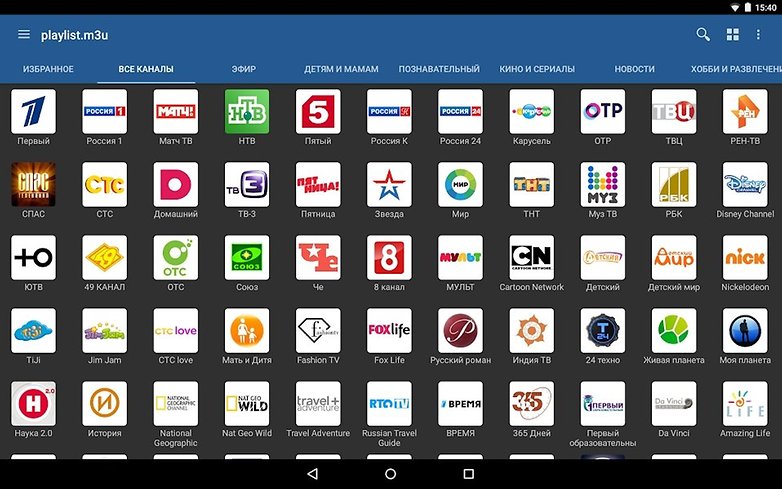
IPTV, or Internet Protocol television, is the platform that allows you to watch television channels via an Internet connection. In order to do this, you'd usually need to register for certain online services or download software to your PC. But how can you enjoy your favorite channels on your smartphone? As usual, the solution to all this is apps!

In this useful guide we will show you, in our opinion, the best IPTV apps currently available on Google Play Store which you can install on your Android device, smartphone or tablet. Of course, we remind you that, in order to take advantage of these apps, your device must be connected to the Internet via Wi-Fi or mobile data (watch out for consumption).
GSE SMART IPTV

This completely free application (with optional in-app purchases) allows you to watch TV channels via streaming, using lists in M3U or JSON format, and which you can upload via HTTP or FTP links. The interface is very intuitive, allows you to check out the television guide (EPG) and contains an integrated video player full of useful commands for certain functions. There is also the possibility of transmitting content from your smartphone to your TV via Chromecast or Apple TV.

GSE SMART IPTV
IPTV Extreme

IPTV Extreme is one of the most downloaded and appreciated apps in this category. Free, simple and intuitive, it offers all the features you'd expect. Every user can find what they need when they want to enjoy a little TV on their smartphone. Here, we also find an integrated video player, support for Google Chromecast, a Parental Control function, support for M3U lists and automatic updates of the EPG.

IPTV Extreme
TVCast

TVCast differs from the others on this thanks to its simple and minimal interface in line with Google's Material Design, which leaves no room for doubt. It supports both M3U and M3U8 and is available free of charge. As you may have guessed from the name, this application is oriented to content casting: in fact, it can broadcast the contents of its channel list on a variety of devices, including Amazon Fire TV, Roku, Apple TV, Chromecast and the TVCast Web Player (the proprietary software to be able to transmit to your PC).

The minimalist design of the interface is what makes TV cast stand out. / © Play StoreTVCast - Watch IPTV everywhere
IPTV

The name of this application is practically a guarantee for variety. Although it does not have the most beautiful graphical interface ever, IPTV is the preferred app for over 10 million users. Among its best features, you will find frequent updates, speed, excellent integrated player, support for M3U and XSPF lists, support for EPG, the option to display the channel list in three modes (list, grid or titles) and automatic reconnection in case of buffering or blocks.

IPTV is the favorite app for over 10 million users. / © Play StoreIPTV

Which is your app of choice when it comes to watching TV channels on your smartphone or tablet? Let us know in the comments below.Also Read:jihosoft Free iPhone Data Recovery

Sponsor ads:

Gihosoft Free iPhone Data Recovery:https://www.gihosoft.com/iphone-data-recovery-free.html

Gihosoft iPhone Data Recovery Free

Free iPhone Data Recovery Software for Windows/Mac

Recover up to 12+ types of files, including contacts, SMS, photos, WhatsApp, Viber, notes, etc.

Restore lost data from iOS devices directly or from iTunes and iCloud backup

Recover iPhone data lost due to iOS upgrade/jailbreak, accidental deletion, device lost or broken

Support all the latest iPhone, iPad and iPod Touch

Both Free and Pro version.

If you lost data after you updated to a new iPhone, you can always use Gihosoft iPhone Data Recovery to get the data back from the old iPhone or backup.You may also like: iphonerecovery.com

If you use android phones, please choose Gihosoft Android Data Recovery.

With Gihosoft Android Data Recovery, no longer afraid of data loss!

Must read:Youtube video downloader for pc

Gihosoft RePicvid Free Photo Recovery Software provides a free photo recovery software for windows to help users recover the deleted or lost photo for free.

Jihosoft Android Data Recovery: the best Android Data Recovery software for Windows and Mac to recover deleted contacts, messages, photos, videos, WhatsApp and etc from Android devices.Tips:How to transfer messages from iPhone to iPhone

Jihosoft File Recovery:Recover deleted, Lost, formatted, or corrupted files from PC, flash drive and memory card easily & safely

Tuesday, 12 March 2019

Apple Says Someone Tried to Sway the Testimony of Its Former Engineer in Ongoing Qualcomm Case

Apple Says Someone Tried to Sway the Testimony of Its Former Engineer in Ongoing Qualcomm Case


The ongoing legal battle between Apple and Qualcomm has been full of twists and turns. As per Apple, the tech for one of the patents Qualcomm alleges Apple has infringed was helped co-founded by one of the company’s former engineers. However, Arjuna Siva, former Apple engineer, in his testimony said that while he contributed ideas to the technology, he does not claim to be an inventor.

Now, Apple says that they have reason to believe that someone tried to sway Siva’s testimony, though the company does not know who.

In a filling on Tuesday, Apple counsel Juanita Brooks wrote that the iPhone maker had grounds to suspect someone was trying to sway Arjuna Siva’s testimony, though she said the company doesn’t know who. The iPhone maker has argued that Siva, a former Apple engineer, co-invented technology in one of three disputed Qualcomm patents and should be named on it.

Apple had made a similar claim last week which Qualcomm called out as “ridiculous.” Judge Dana Sabraw also said that there was “no evidence” on the basis of which Apple was making the allegation.

Siva’s appearance in the court itself has been full of drama. He first backed out of his appearance after retaining a new lawyer, Matt Warren, who suggested that he does not attend the hearing unless subpoenaed. Warren was previously one of the partners at the law firm Quinn Emanuel which currently represents Qualcomm. This led Apple to file subpoenas for both Siva and Warren to appear in the court.

The patent in question revolves around how quickly a phone connects to the internet after booting up. As per Apple, their engineer Arjuna Siva came up with the idea before the release of the first iPhone in 2011 featuring a Qualcomm chip. Apple and Qualcomm were then working on a modem that met its requirements and could be used in its devices.

Despite Apple’s initial claims about someone trying to sway Siva’s testimony, Apple’s counsel Brooks said that the engineer’s testimony has been consistent with original plans so they see no reason for “further action”

[Via Cnet]Also Read:jihosoft Free iPhone Data Recovery

Sponsor ads:

Gihosoft Free iPhone Data Recovery:https://www.gihosoft.com/iphone-data-recovery-free.html

Gihosoft iPhone Data Recovery Free

Free iPhone Data Recovery Software for Windows/Mac

Recover up to 12+ types of files, including contacts, SMS, photos, WhatsApp, Viber, notes, etc.

Restore lost data from iOS devices directly or from iTunes and iCloud backup

Recover iPhone data lost due to iOS upgrade/jailbreak, accidental deletion, device lost or broken

Support all the latest iPhone, iPad and iPod Touch

Both Free and Pro version.

If you lost data after you updated to a new iPhone, you can always use Gihosoft iPhone Data Recovery to get the data back from the old iPhone or backup.You may also like: iphonerecovery.com

If you use android phones, please choose Gihosoft Android Data Recovery.

With Gihosoft Android Data Recovery, no longer afraid of data loss!

Must read:Youtube video downloader for pc

Gihosoft RePicvid Free Photo Recovery Software provides a free photo recovery software for windows to help users recover the deleted or lost photo for free.

Jihosoft Android Data Recovery: the best Android Data Recovery software for Windows and Mac to recover deleted contacts, messages, photos, videos, WhatsApp and etc from Android devices.Tips:How to transfer messages from iPhone to iPhone

Jihosoft File Recovery:Recover deleted, Lost, formatted, or corrupted files from PC, flash drive and memory card easily & safely

Monday, 11 March 2019

Apple Announces ‘It’s Show Time’ Event on March 25; Expected to unveil TV Streaming and News Subscription Service


Apple has sent out media invites for its “It’s Show Time” event that will be held on March 25 at the Steve Jobs Theater in California. The event will start at 10:00 a.m. Pacific Time.

The tagline of the event makes it clear that Apple will be using the event to showcase its TV streaming service and premium Apple News subscription service.

The TV streaming service will only be announced by Apple during the event, with its actual launch still a few months away. The company is already working on over 2 dozen original TV shows and content for its streaming service which includes major stars like Reese Witherspoon, Jennifer Aniston, Steve Carell, and more.
Also Read:4 Easy Ways To Know if Your iPhone Is Locked Or Unlocked
Also Read:How to Make Your Phone Number Private on Android or iPhone
Also Read:HTC Sync Manager ReviewAlso Read:How to Recover Formatted Hard Drive for Lost Files

View image on Twitter


Matthew Panzarino

✔@panzer

Please join us for an Apple special event

at the Steve Jobs Theater in Cupertino.


March 25, 2019

10:00 a.m.


The email played a short film reel countdown animation on opening.

1,562

3:20 AM - Mar 12, 2019

588 people are talking about this

Twitter Ads info and privacy

As for the Apple News subscription service, reports point to Apple charging customers $9.99/month for it and giving them access to content from major publications and magazines. As of now, it is still unclear which publishers are onboard Apple’s premium News service offering as its 50 percent revenue split demand has left.

Apple could also possibly talk about the AirPods 2, AirPower, iPad mini 5, and the 7th gen iPad at the event. Even if it does not, these devices should go on pre-order or sale right after the event. Apple is focusing more on its Services business with this event so it is unlikely that we will see the company make any hardware announcements on stage.

Like other Apple events, the company will also be streaming this event on its website for interested folks to see from all over the world.

Are you excited about Apple’s March 25th event? Let us know in the comments below.Also Read:8 Best To-do List Apps for Your iOS Device to Make Your Work Done
Also Read:Windows 10 Blue Light Filter: Learn Something about Your Eyes Saver

Also Read:Top 5 Best Free File Recovery Software 2019 for Windows and Mac

18 Best Indian Web Series on YouTube You Can’t Miss 2019
Also Read:3 Ways to Use WhatsApp without a Phone Number or SIM in 2019


Like this post? Share it!

Monday, 4 March 2019

How to Transfer Music from iPad to Computer with iTunes? 2019 Guide


How to Transfer Music from iPad to Computer with iTunes?

Not convinced that iMyFone TunesMate is for you? No problem - this short guide will show you how to transfer songs from your iPad music library to computer with iTunes.

Step #1 - Install iTunes on your computer (if it isn’t already installed) and launch the program.

Step #2 - After connecting your iPad, click the device icon at the top of iTunes and select the “Music” menu from the sidebar.

Step #3 - Click on the “Sync Music” box to enable this option and select either “Entire music library” or “Selected playlists, artists, albums, and genres”.


Step #4 - Hit the “Apply” button at the bottom-right.

Step #5 - From now on, each time you sync your iPad with iTunes your music will be transferred.

As always there are a few disadvantages to using iTunes, but if you don’t have a problem using it then here you go!

Also Read:jihosoft Free iPhone Data Recovery

Sponsor ads:

Gihosoft Free iPhone Data Recovery:https://www.gihosoft.com/iphone-data-recovery-free.html

Gihosoft iPhone Data Recovery Free

Free iPhone Data Recovery Software for Windows/Mac

Recover up to 12+ types of files, including contacts, SMS, photos, WhatsApp, Viber, notes, etc.

Restore lost data from iOS devices directly or from iTunes and iCloud backup

Recover iPhone data lost due to iOS upgrade/jailbreak, accidental deletion, device lost or broken

Support all the latest iPhone, iPad and iPod Touch

Both Free and Pro version.

If you lost data after you updated to a new iPhone, you can always use Gihosoft iPhone Data Recovery to get the data back from the old iPhone or backup.You may also like: iphonerecovery.com

If you use android phones, please choose Gihosoft Android Data Recovery.

With Gihosoft Android Data Recovery, no longer afraid of data loss!

Must read:Youtube video downloader for pc

Gihosoft RePicvid Free Photo Recovery Software provides a free photo recovery software for windows to help users recover the deleted or lost photo for free.

Jihosoft Android Data Recovery: the best Android Data Recovery software for Windows and Mac to recover deleted contacts, messages, photos, videos, WhatsApp and etc from Android devices.Tips:How to transfer messages from iPhone to iPhone

Friday, 1 March 2019

Add Storage to iPad? Find Tips Here!


Method 1: Upgrade Storage of iCloud

Upgrade storage of iCloud is also a great idea to add storage to iPad. By default, you have 5GB storage on iCloud. If you are willing to spend a few bucks, then it is recommended that you upgrade your iCloud storage by buying a suitable storage plan. An upgraded storage plan will allow you to save more media while paying as little as $0.99/month for 50GB of iCloud storage. Follow these steps to buy more iCloud storage:


Open Settings app on your iPad.


Navigate to Apple ID > iCloud > Manage Storage.


Now select Change Storage Plan option.


Choose the plan according to your needs and then tap Buy to purchase the selected iCloud storage plan.


Method 2: Use a Wireless Hard Drive

Adding another hard drive is one of the most traditional ways to expand storage. However, since iPad cannot work with traditional USB external drives, you will need to buy a wireless hard drive to expand the storage. Wireless hard drives can communicate with your iPad through a secured Wi-Fi connection and are a great way to add storage to your iPad. You can save your entire iPad media collection on the wireless hard drive and then easily access it whether you are in the house or away from home. Most wireless hard drives support uploading documents, photos, and videos.
Method 3: Erase Some Media Files

Media files, particularly videos and music take a lot of space. Erasing such content from your iPad can really help free up space and make room for other things.


Open Settings app on your iPad.


Navigate to General > Usage > Manage Storage.


Now select the Videos app and review your videos. Each video stored on your iPad will be shown in this section along with the size.


Select a video, tap Edit and then select '-' icon next to it. The video will be deleted.


Similarly, you can erase your music and photos as well.


Don't Miss: 5 Practical Tips to Fix iPad Storage Almost Full Problem
Bonus Tip: How to Check the Storage on iPad?

Every iDevice has a built-in feature that monitors the storage of the device and analyzes which content is using how much space. With this feature, you can easily check the storage on your iPad.

Follow these instructions:


Open Settings app on your iPad.


Navigate to General > [Device] Storage. There, you will see a list of apps installed on your iPad as well as how much storage each of the app is using.


You can get more information about the storage usage of an app by tapping its name.


Also Read:4 Best Chrome Extensions to Download YouTube Videos
Also Read:Top 5 Legal Websites to Download Free Ringtones for iPhone XS/X/8/7/6s/6
Also Read:How to Go Live on Tik Tok/Musical.ly in 2019

Download iOS 13 and iPadOS 13 Beta 6

With the public release of iOS 13 and iPadOS 13 just over a month away, Apple today released the sixth developer beta of iOS 13 and iPadOS 1...