WHAT’S NEW IN IOS 12.3?
iOS 12.3 (final) comes with a build number of 16F156 and weighs about 2.89GB on all compatible devices.
The main feature of this operating system update is the new all Apple TV app and the addition of AirPlay-centric features.
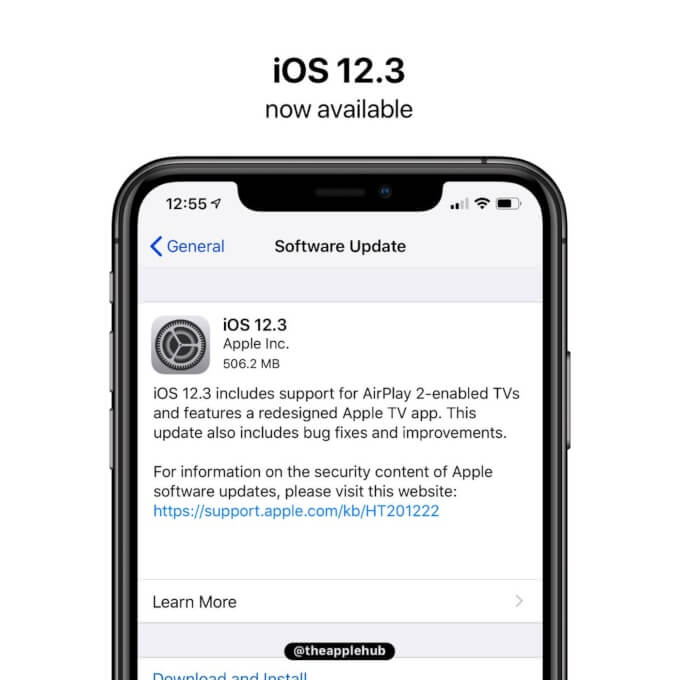
Check out the complete list of all improvements, fixes, and new features this update brings below.
APPLE TV APP
User interface completely redesigned with the addition of collections compiled by editors and personal recommendations.
Subscriptions can now be shared with up to six family members without any new applications, accounts, or passwords.
Buy or rent new releases, including a complete catalog of over 100,000 movies and the largest 4K HDR title selection.
Added support for AirPlay 2 on LG, Samsung, Sony, and Vizio TVs.
AIRPLAY 2
AirPlay 2 now supports sharing videos, photos, music, and more from iPhone and iPad directly to an AirPlay 2-enabled smart TV.
One-Click Playback automatically plays the selected TV show or movie on the most recently used device depending on time and location.
Siri’s suggestions for watching movies and TV shows now include AirPlay.
OTHER FIXES AND IMPROVEMENTS
Face ID is snappier.
The “For You” section in Apple Music is updated several times a day.
Fixes a bug in WiFi calls that caused calls to get interrupted.
Fixes a bug that could prevent Apple TV Remote from pausing/controlling video or adjusting volume on supported receivers.
Fixes a bug that did not show track information from a connected iPhone on the car display.
Since this is a final public update, you can get it straight from the “Software Update” section in Settings > General. Alternatively, you can use iTunes to upgrade your device or perform a clean restore using the IPSW links below.
Before you update, be sure to back up your data and charge your device.
IOS 12.3 IPSW DOWNLOAD
IPHONE
iPhone SE, iPhone 5s
iPhone 6s, iPhone 6
iPhone 6s Plus, iPhone 6 Plus
iPhone 8, iPhone 7
iPhone 8 Plus, iPhone 7 Plus
iPhone X
iPhone XS
iPhone XS Max
iPhone XR
IPAD
iPad Air, iPad mini 2
iPad mini 4, iPad Air 2, iPad mini 3
iPad (5th generation), iPad (6th generation)
iPad Pro (9.7‑inch)
iPad Pro (12.9‑inch)
iPad Pro (10.5-inch), iPad Pro (12.9-inch) (2nd generation)
iPad Pro (11-inch), iPad Pro (12.9-inch) (3rd generation)
iPad mini (5th generation), iPad Air (3rd generation)
IPOD
iPod touch (6th generation)
SHOULD YOU UPGRADE?
iOS 12.3 comes with a whole host of bug fixes, enhancements, and AirPlay/Apple TV-centric features. If your device is still running a beta version, we highly recommend updating to the latest update.
iOS 12.3 is most probably the last major iOS 12 update as the WWDC is just a few weeks away now.
Apple will still continue seeding developer beta builds until iOS 13 is released officially in September, nevertheless.
Sponsor ads:
Gihosoft RePicvid Free Photo Recovery Software provides a free photo recovery software for windows to help users recover the deleted or lost photo for free.
If you lost data after you updated to a new iPhone, you can always use Gihosoft iPhone Data Recovery to get the data back from the old iPhone or backup.You may also like: iphonerecovery.com
If you use android phones, please choose Gihosoft Android Data Recovery.With Gihosoft Android Data Recovery, no longer afraid of data loss!
iPhone Manager:Get the ultimate Gihosoft iPhone Manager. Free download for PC/Mac.


No comments:
Post a Comment